Retyping orders
Addresses and weights get copied from the ERP into a separate USPS tool, one order at a time.
 ShipperCopilot
 by eShipJet.ai
Stop switching between USPS tools and your order system. ShipperCopilot puts USPS rates, labels and package tracking right next to the orders your team is already working on.




Works with 9 carriers in 8+ countries ISO 27001 certified
A short walkthrough using your ERP, carriers and order flow.
The problem
Addresses and weights get copied from the ERP into a separate USPS tool, one order at a time.
Without a side-by-side view, nobody knows if USPS was the best choice for that package.
Tracking lives in one place, orders in another and customer questions in a third.
Return labels get sorted out over email threads instead of inside the order record.
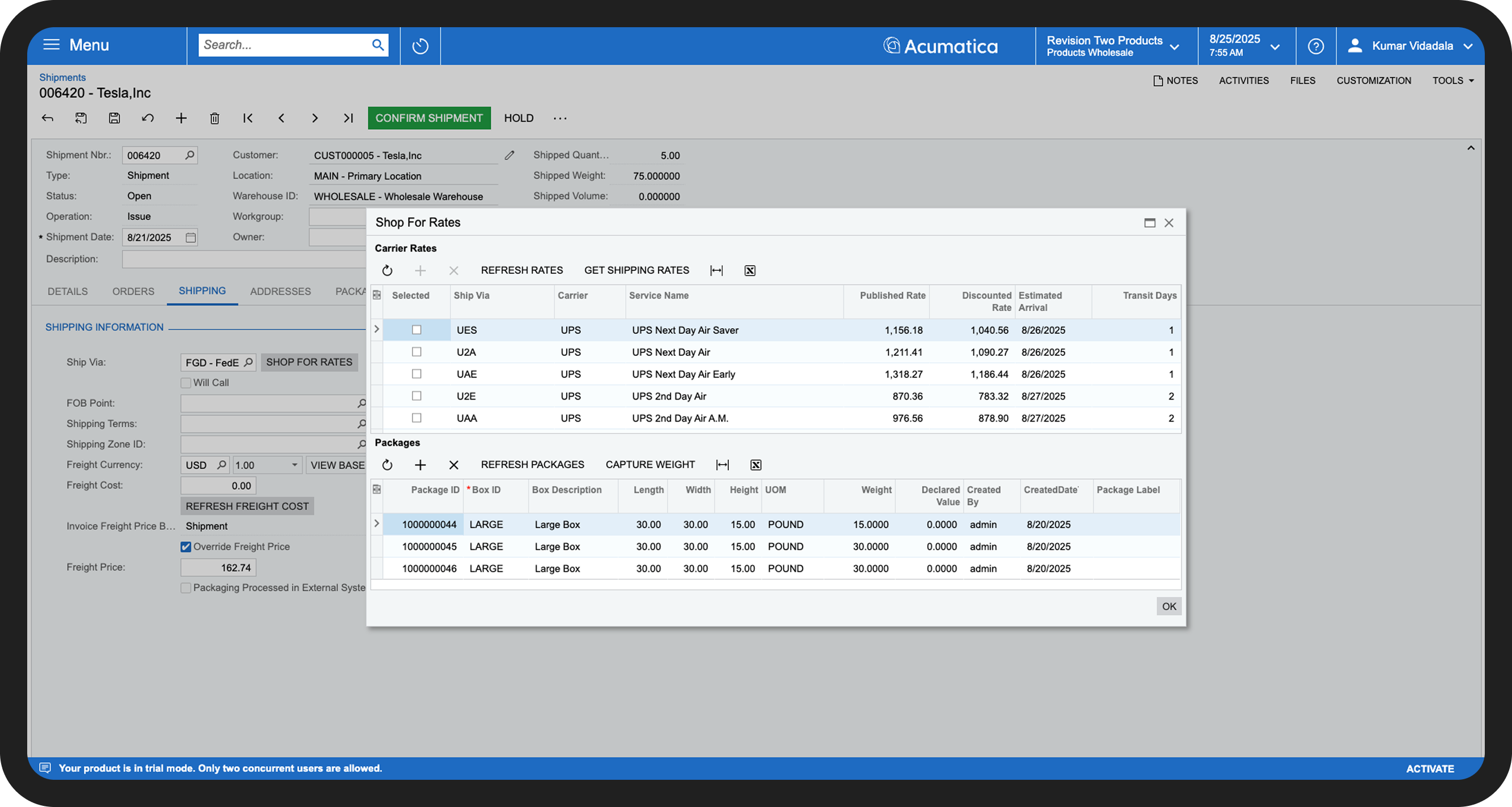
It takes an order from your system, compares USPS options alongside your other carriers, prints the label and tracks the package until delivery. ShipperCopilot does this from inside your ERP, so nobody has to re-enter an address or toggle between tabs.
Capabilities
See USPS options and other carriers together, then choose per shipment.
Flag address problems before a label is printed and a package gets misdelivered.
Generate the label and shipping documents without leaving the order screen.
One list shows where each shipment is, whichever carrier moved it.
Approve a return and issue its label from the original order.
Screening and export documents for orders that leave the country.
How it works
Integrations
Before and after
| Task | Today | With ShipperCopilot |
|---|---|---|
| Entering the shipment | Re-enter from the ERP | Starts from the order |
| Choosing a service | Check each carrier manually | USPS and others shown together |
| Labels and documents | Separate tool, manual save | Printed from the order |
| Package status | Look up per carrier | One tracking list |
| Returns | Email back and forth | Handled on the original order |
Built for
FAQ
No. ShipperCopilot covers USPS and your other carriers in the same system, so your team learns one workflow instead of one tool per carrier.
Yes. ShipperCopilot connects to ERPs including SAP, Oracle Fusion, Microsoft Dynamics 365, Infor, Sage and NetSuite, so each USPS shipment starts from the order already in your system. If yours isn't listed, we'll review your setup on the demo call.
No. Alongside USPS and other parcel carriers, ShipperCopilot handles LTL and truckload shipments in the same workflow.
For orders leaving the country, ShipperCopilot screens the recipient against restricted-party lists and prepares the export documents from the order data before the label is printed.
You approve the return on the original order and issue the return label from there, so the return stays attached to the order record instead of an email thread.
It depends on your ERP, the carriers you use and the shipping rules in scope. We walk through your setup on the demo call and map out the next steps from there.
Request a Demo and we'll walk through your setup with you.